Developer Guide
Installation
Requirements
- Postgresql
- python3.4>
- psycopg2
- flask
Setting the running environment
- Set running port for postgresql to 54321
- Create user in postgresql with name=’vagrant’ and password=’vagrant’
- Create database for user vagrant with name ‘itucsdb’
Run application
Get the code from github
git clone https://github.com/itucsdb1502/itucsdb1502.git
Go to the ‘itucsdb1502’ folder then execute following command
cd itucsdb1502
python3 server.py
Open web browser and go to
localhost:5000
If everything okay, than to create tables go to following address
localhost:5000/initdb
That’s all. You can navigate around pages and try editing the values.
Database Design
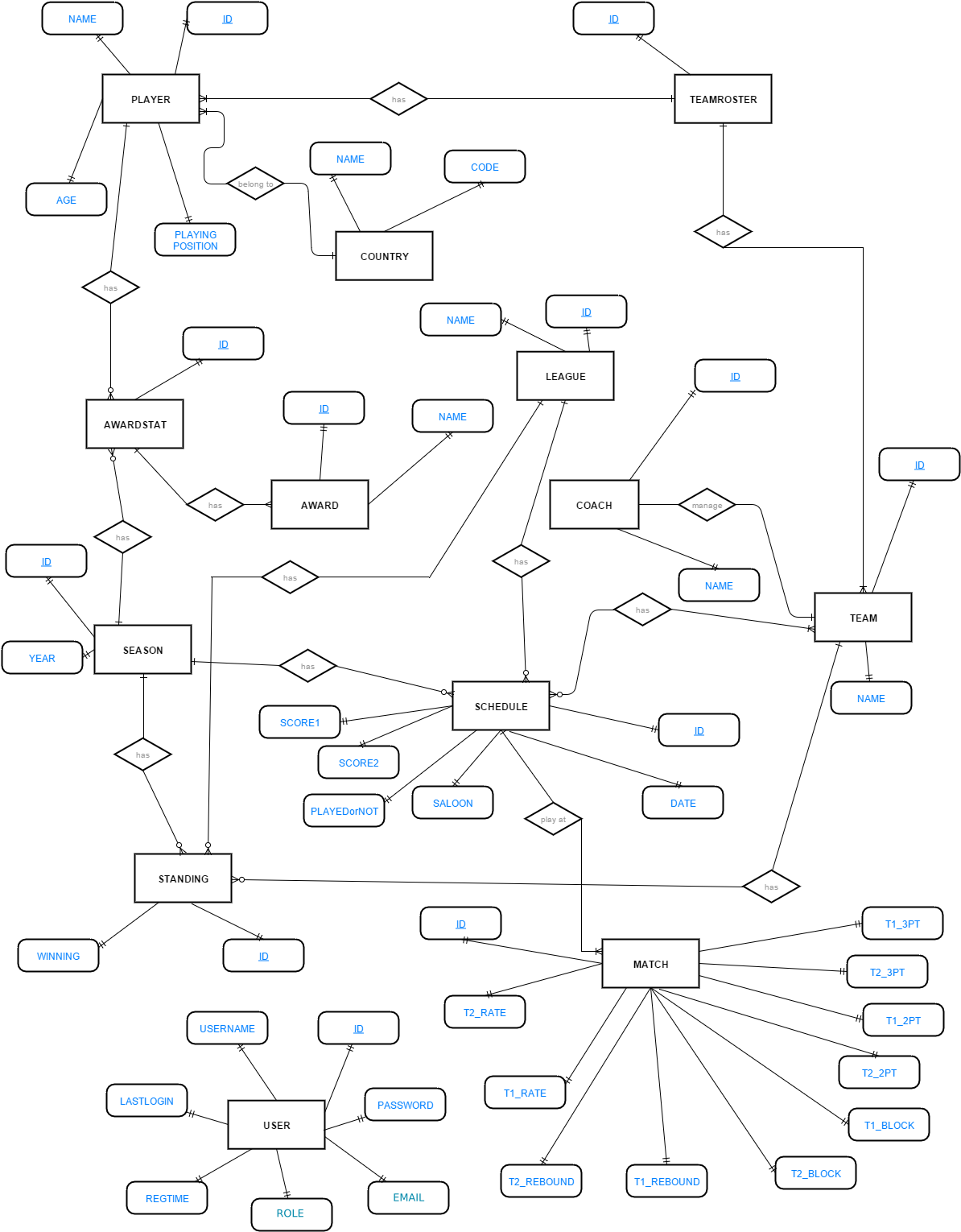
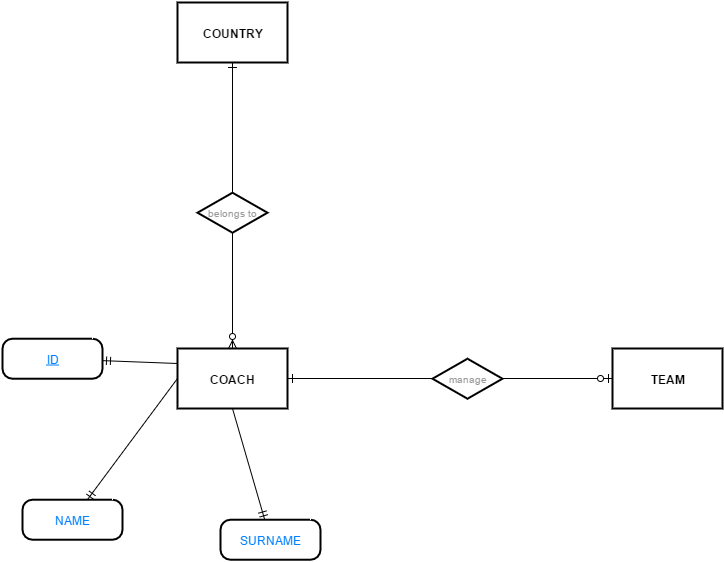
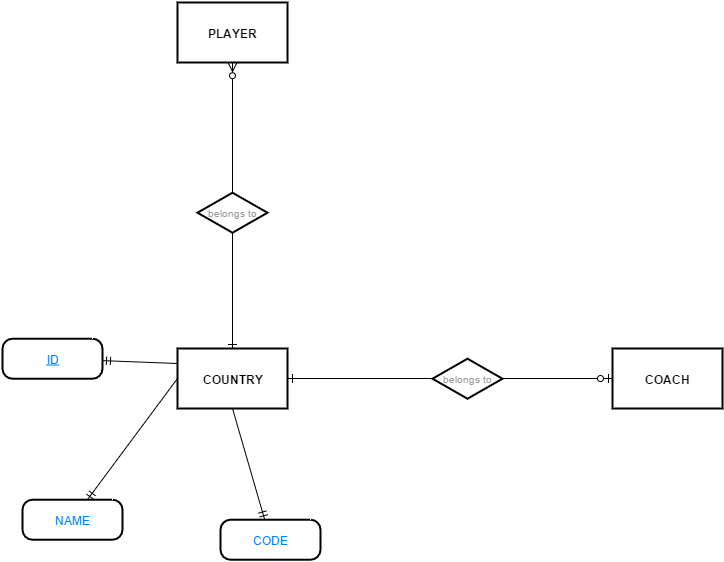
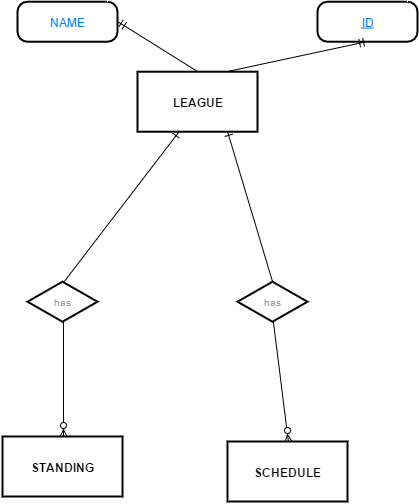
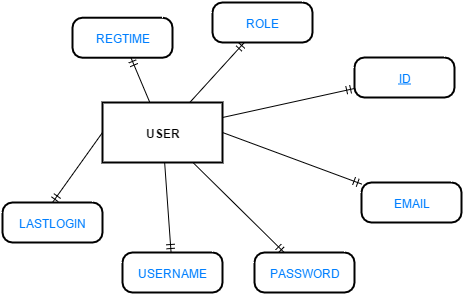
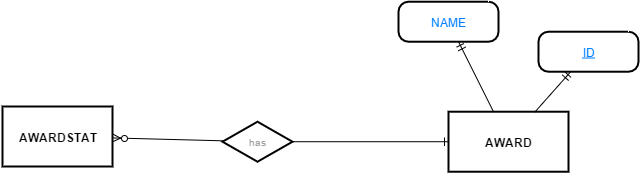
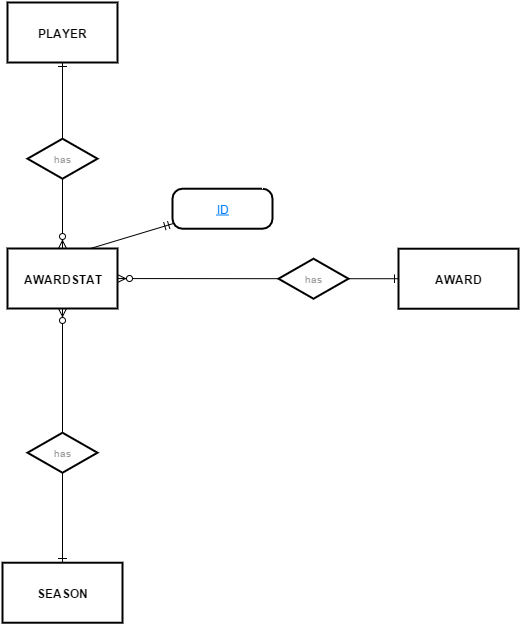
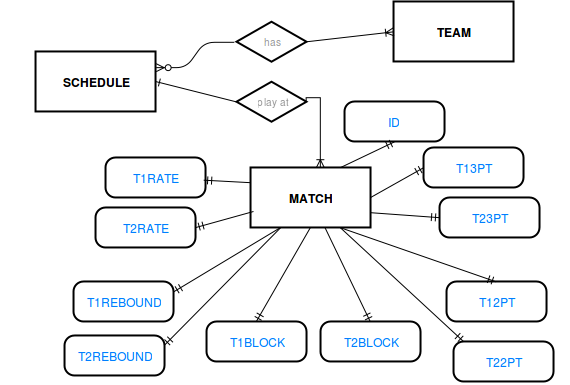
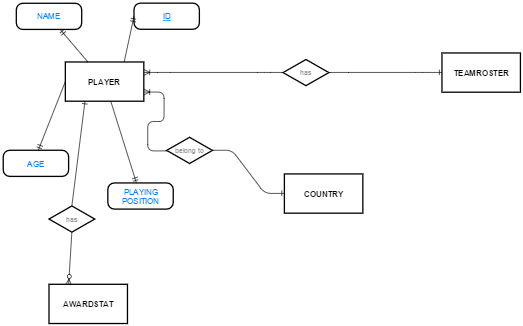
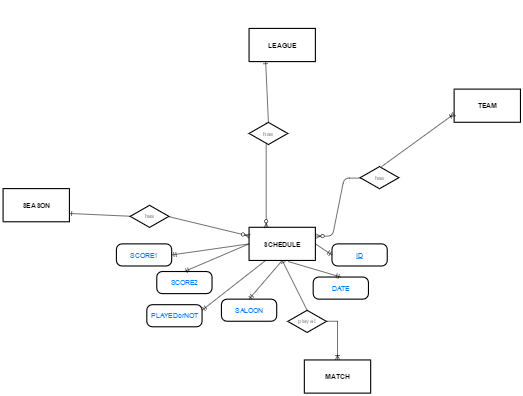
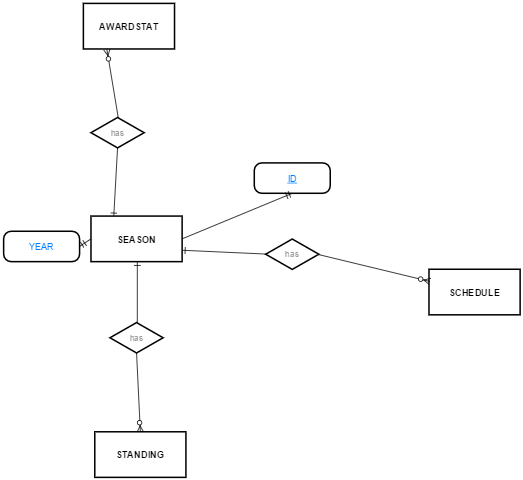
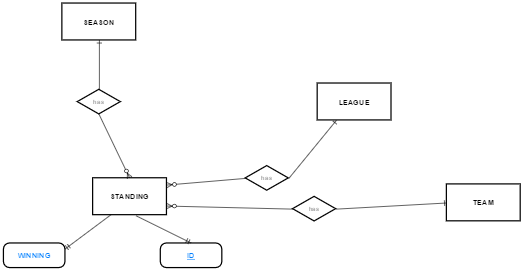
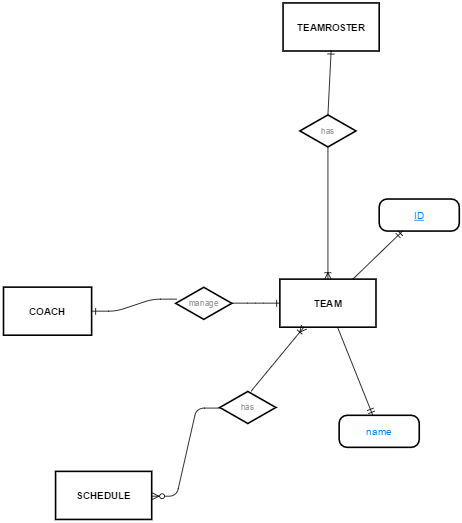
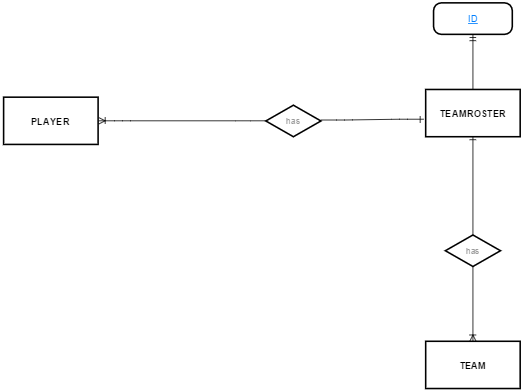
Skeleton of the source code
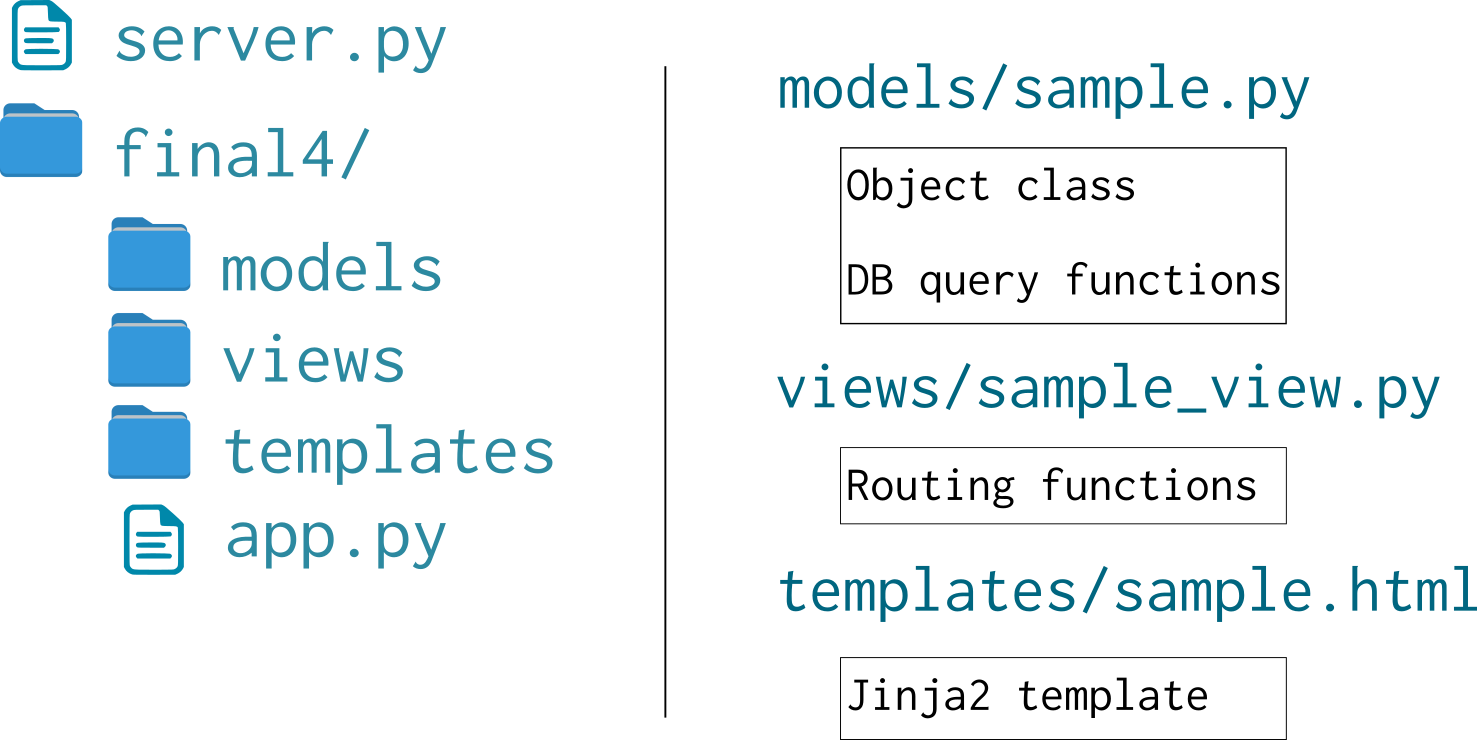
The source code is organized as shown in the diagram to make it easy readable, extandable and maintainable.